To comply with both FINRA and LPL gifting policies, follow these limits.
| Recipient | Annual limit | What you must do |
|---|---|---|
| Branded or promotional item, any recipient | $60 or less | Nothing — no reporting required |
| Client or prospect | $500 | Submit in MCO. Above $300, submit for pre-approval at least five days before you give it. |
| Securities industry — product sponsors, wholesalers, representatives of other firms | $300 (FINRA Rule 3220) | Submit in MCO |
| Life event — wedding, birth, bereavement, milestone celebration | $1,000 | Submit in MCO. Neither LPL nor a sponsor may reimburse you. |
| Someone you knew before they became a client | $1,000 | Submit in MCO |
| Reward for a referral | $200 per referral; $1,000 per person per rolling 12 months | Record on the F151-RR log in iDoc |
Keep in mind
Limits reset each calendar year and apply per giver and per recipient, to gifts you receive as well as gifts you give. Referral rewards are the exception — a rolling 12 months.
Cash is never permitted, including Venmo and Cash App. Visa, Mastercard and American Express gift cards count as cash. A card redeemable at a single merchant does not.
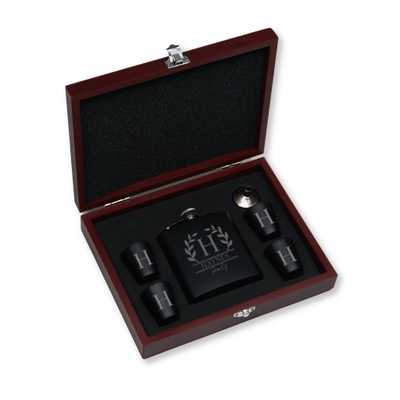
Personalization makes an item a gift. The $60 exemption covers firm branding only. Several branded items sent together are valued as one.
A discount does not reduce the value. Report the greater of what you paid or what the item is worth, excluding tax and shipping.
Never tie a gift to production. A gift may not be connected to sales goals, revenue, or the sale of a particular product.
How to submit a gift
In ClientWorks, open the Menu, select Compliance, then MyComplianceOffice. Choose the Gift/Entertainment Given tile, select Gift, enter the details and recipients, and submit for approval. Do this monthly whenever you have activity.
Full policy
This page summarizes LPL's Gifts and Gratuities policy. The full text is in the ClientWorks Resource Center: the Advisor Compliance Manual, under Sales Practices and Other Advisor Conduct Policies, and the Non-Cash Compensation Requirements and Guidelines page. For step-by-step submission screens, see the Gifts and Entertainment User Guide.
Always check the Resource Center for the current version. LPL updates these policies periodically, and this page may not yet reflect the latest limits.